
My Favorite JetBrains Rider Themes
A 2026 tour of the best JetBrains Rider themes, from marketplace favorites like Catppuccin and One Dark to hidden gems, each shown running with real C#.

Integrated development environments (IDEs) are constant, logical, and efficient executors of our technological whims. They do what we tell them when we tell them (most of the time). I swear I didn’t code that bug! JetBrains Rider prides itself on providing a consistent and industry-leading user experience, but don’t confuse consistency with being boring.
I first wrote this roundup back in 2020. Five years later, the JetBrains Plugin marketplace looks completely different. Some old favorites are gone, a new generation of themes tops the charts, and the quality bar is higher than ever. So I rebuilt the list from scratch for 2026.
A few ground rules this time:
- Every theme here is actively maintained and loads on the current Rider (2026.3).
- Every screenshot is real Rider, showing the same C# file so you can compare how each theme actually displays your code.
Let’s dig in. These are grouped, not strictly ranked.
Already have a favorite? Scroll down to the comments and tell me what you’re running. I’m always hunting for a new theme to try.
The Marketplace Heavyweights
The most-installed Rider-compatible themes on the marketplace. There’s a reason millions of developers reach for these.
Catppuccin
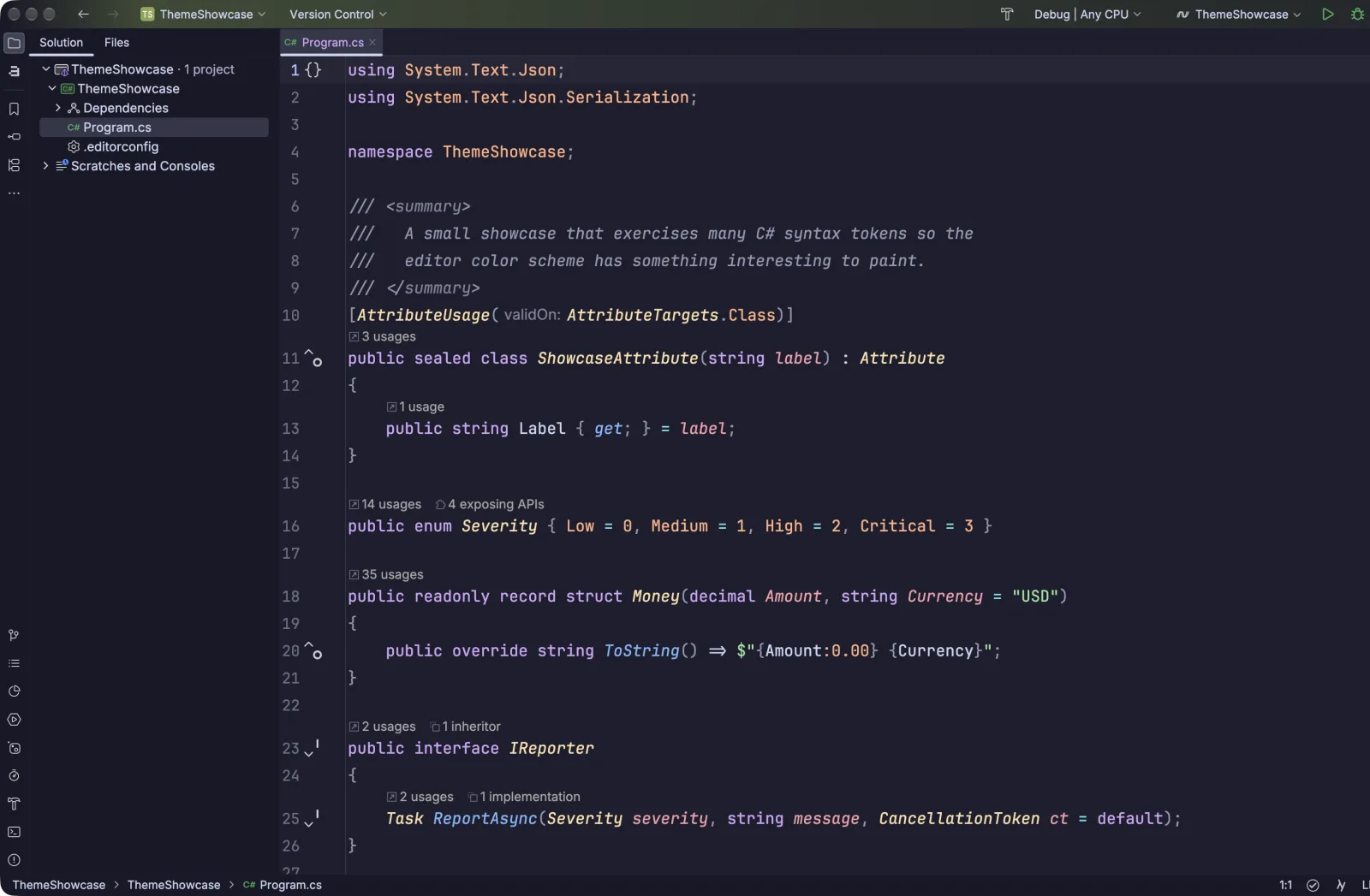
~2.2M downloads · ★ 4.81 · Free
Catppuccin is the community pastel theme everyone keeps switching to. It ships four flavors: Latte (light), Frappé, Macchiato, and Mocha (dark, shown here), all sitting in a comfortable middle ground between low and high contrast. It stays consistent across every editor and terminal you use, which is half the appeal.
I like the aesthetics of this theme, with its pastel purples and dull yellow tones. It gives me a sense of calm and joyful optimism that the code I’m about to write is going to be good.
Get Catppuccin on the JetBrains Marketplace
One Dark
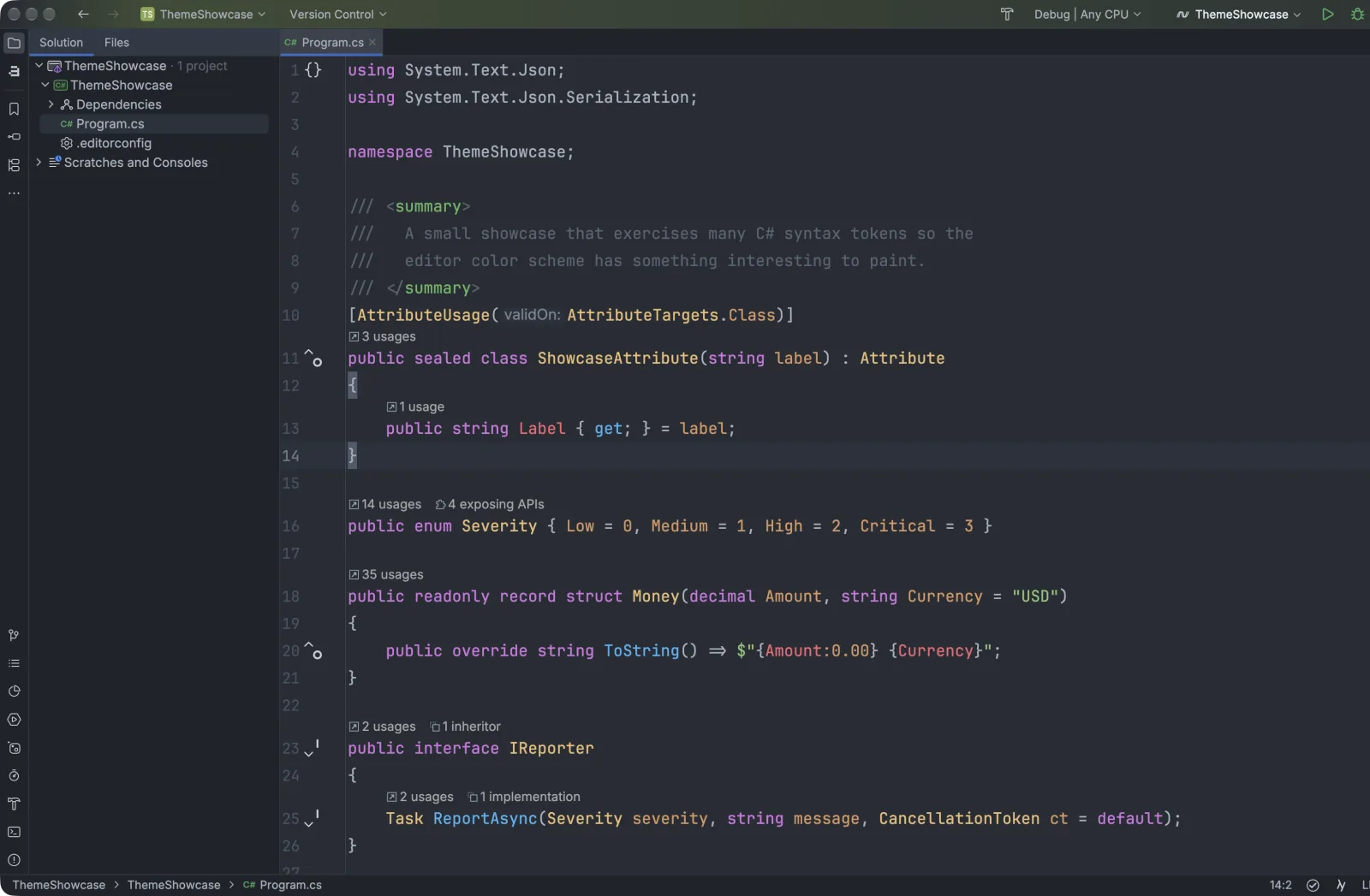
~11.8M downloads · ★ 4.84 · Free
Atom is gone, but its One Dark palette lives on as the second most-downloaded theme on the marketplace. You get balanced contrast, friendly syntax colors, and a rounded “Islands” variant if you want the newer look. A safe default that doesn’t get tiring.
I like this theme because it gives me a nostalgic sense of familiarity and stability from the days of Atom and the rise of the new class of editors and IDEs. It’s a classic that transports you back to a simpler time.
Get One Dark on the JetBrains Marketplace
Material Theme UI
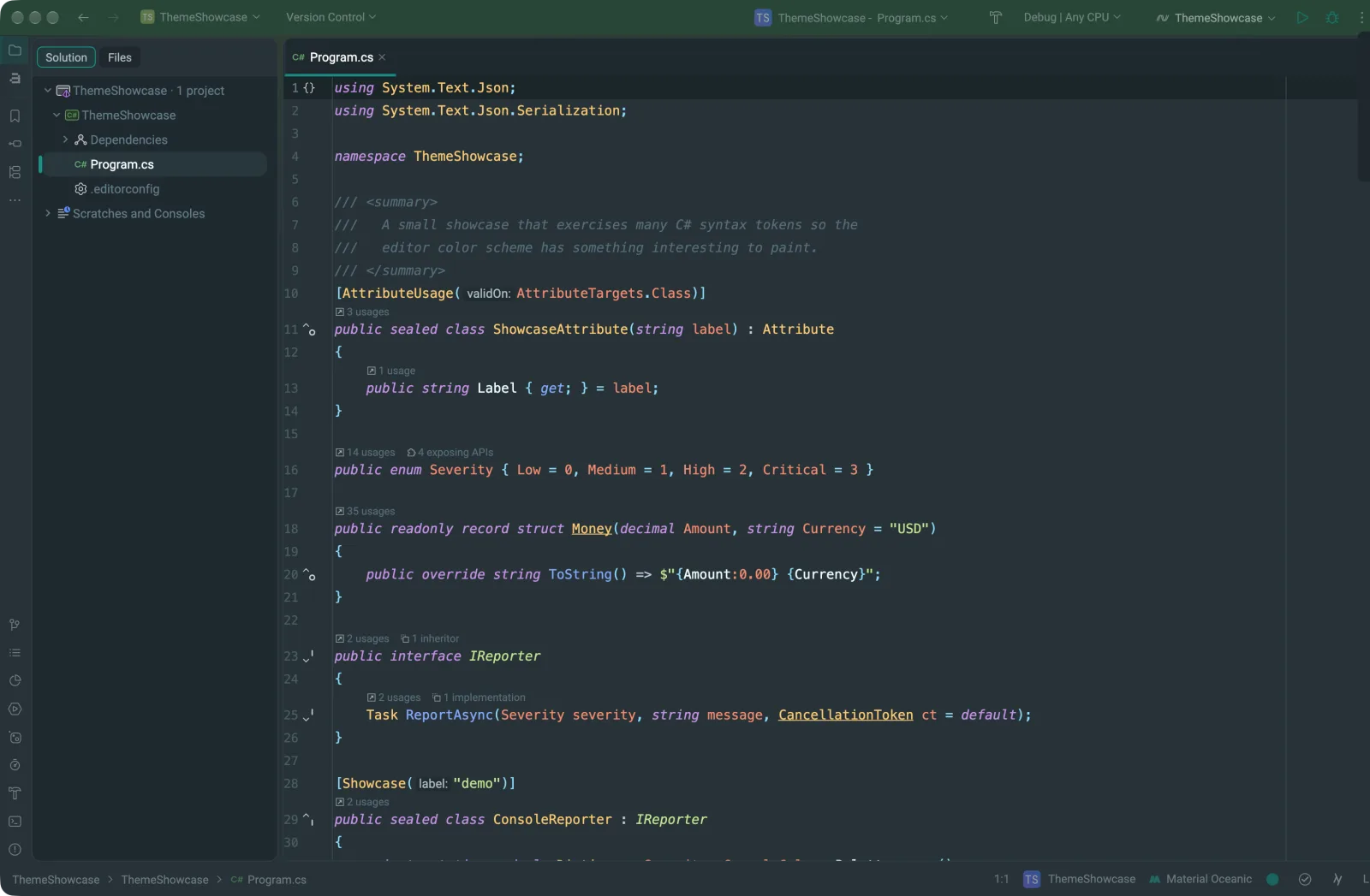
~19M downloads · ★ 3.96 · Freemium
The single most-downloaded theme on the marketplace, and really a theming framework rather than one theme. You get dozens of color schemes (Oceanic shown here, plus Palenight, Monokai, Dracula, and more), custom icons, and accent colors. It went freemium a while back, which annoyed some people, but the free tier still looks great in Rider.
I’m a fan of this theme because of the plethora of options. If there’s a color scheme that expresses your personality, this theme likely has it bundled. The custom icons and accent colors really make it stand out, and the spacing lets the UI breathe in a way I don’t see in other themes. If there’s one downside, it’s that it adds a lot of extras to the UI that can become a distraction.
Get Material Theme UI on the JetBrains Marketplace
Gerry Themes
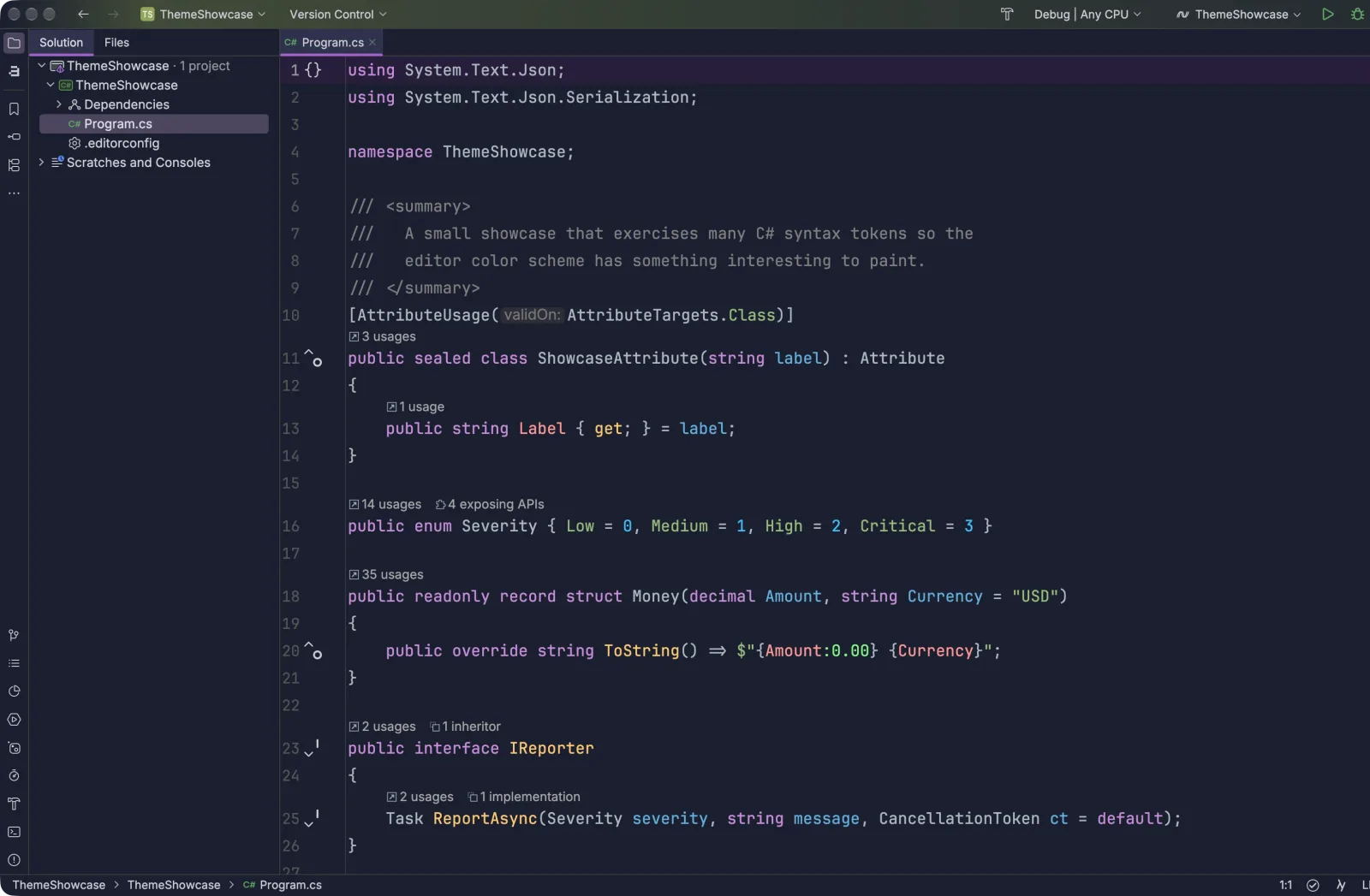
~3.8M downloads · ★ 4.94 · Free (Pro available)
One of the highest-rated theme collections on the marketplace. The free pack gives you a cohesive set of dark and light variants (Violet shown here) with care taken in every corner of the UI. If you like a theme that looks expensive, this is the one.
If you’re a .NET developer, this purple theme fits the whole vibe of the .NET community. The purple hues feel like home in a familiar, cohesive design. One downside is the sidebar spacing, which feels a little too compact and cramped.
Get Gerry Themes on the JetBrains Marketplace
Monokai Pro
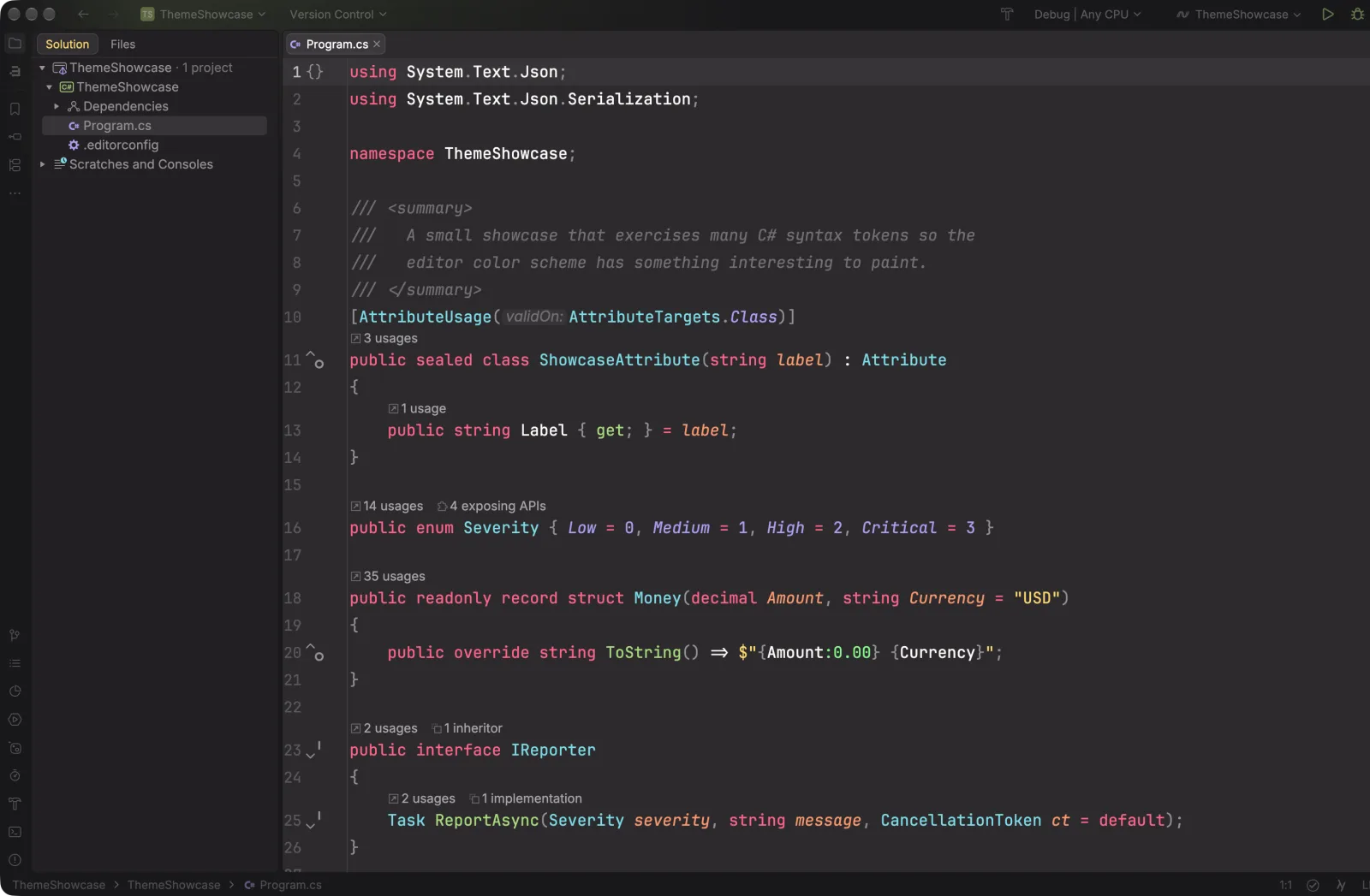
~2.5M downloads · ★ 2.97 · Freemium
The iconic Monokai, done as a complete set: color scheme, matching UI theme, and icon pack. Sublime Text veterans will feel at home. The low rating is about the paid license, not the theme itself, which looks as good as ever.
Monokai is a classic, and it always takes me back to my Ruby on Rails days in Sublime Text. It’s timeless, and it looks great in any editor, light or dark.
Get Monokai Pro on the JetBrains Marketplace
Dracula
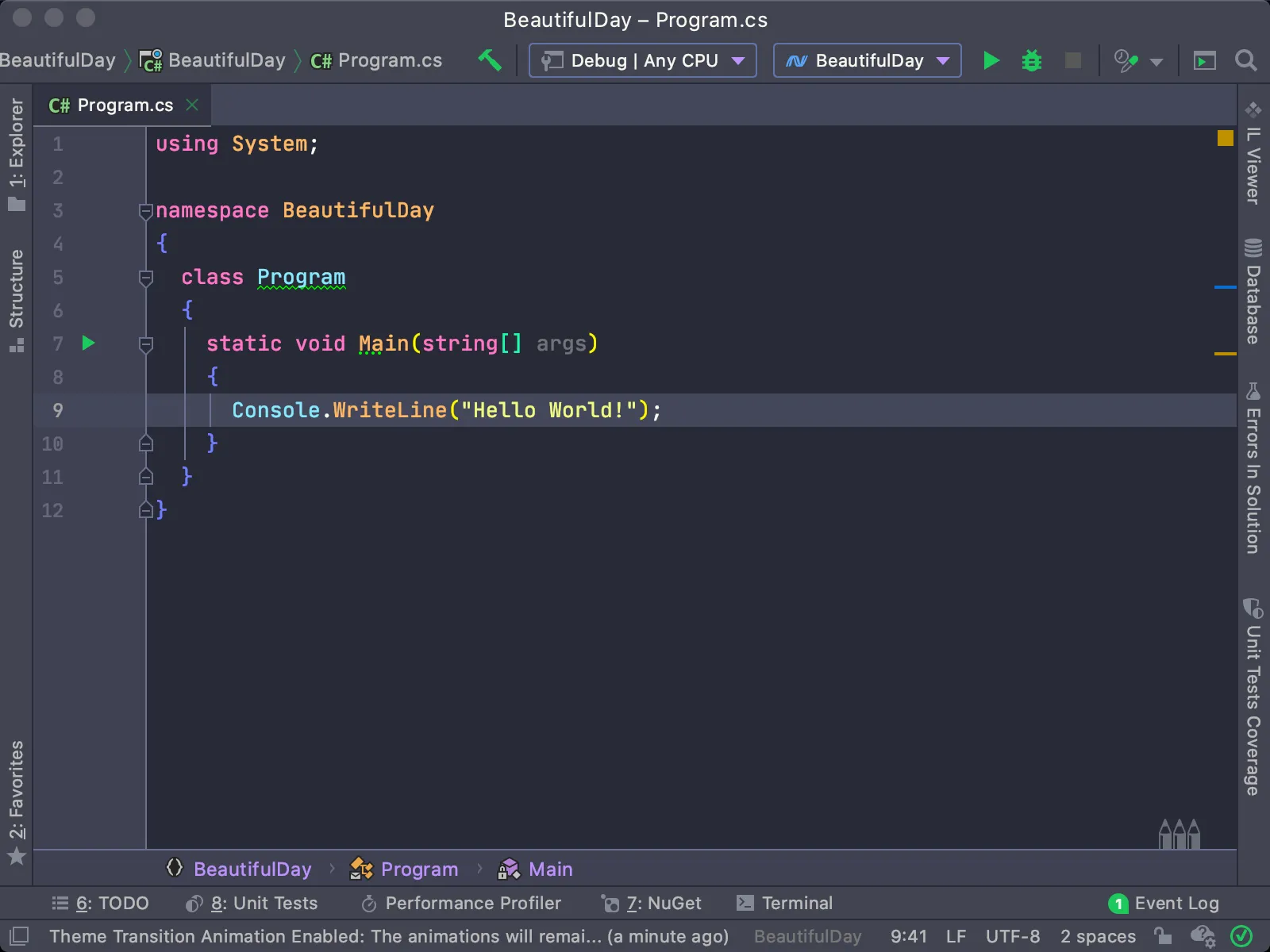
~3.6M downloads · ★ 4.42 · Free
The theme that launched a thousand ports, and it’s still actively maintained. Its grey canvas with vibrant green, blue, pink, and purple accents is as fun as ever, like a Lite-Brite for your code. Rider ships a built-in Dracula now, but the marketplace version gives you the full UI treatment.
One of my absolute favorites. The Dracula theme is a perfect mix of dark and fun colors, just enough to create a moody feeling without being too drab and depressing. I like to think of it as Neon Halloween.
Get Dracula on the JetBrains Marketplace
Light, Warm, and Easy on the Eyes
Not everyone codes in the dark. These bring balance, warmth, and a couple of genuinely lovely light options.
Solarized
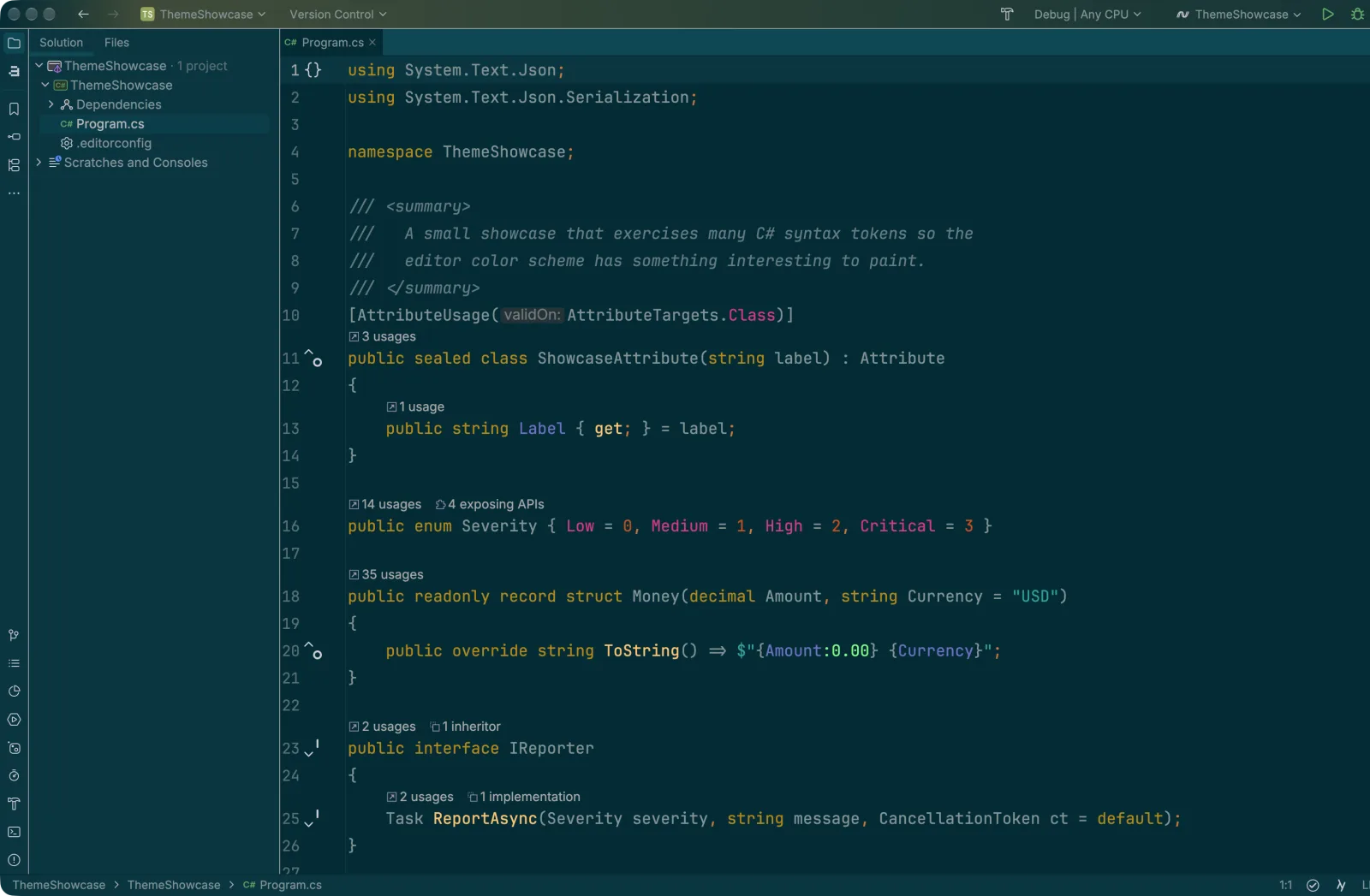
~2.5M downloads · ★ 4.39 · Free
The precision-engineered classic. Ethan Schoonover built Solarized around a 16-color palette with carefully calculated contrast, so the light and dark variants share the same accent hues. It’s the theme for people who think about color as a science.
A classic, especially for terminal users. It looks good, but I find the contrast a little hard to read during long programming sessions.
Get Solarized on the JetBrains Marketplace
GitHub Primer
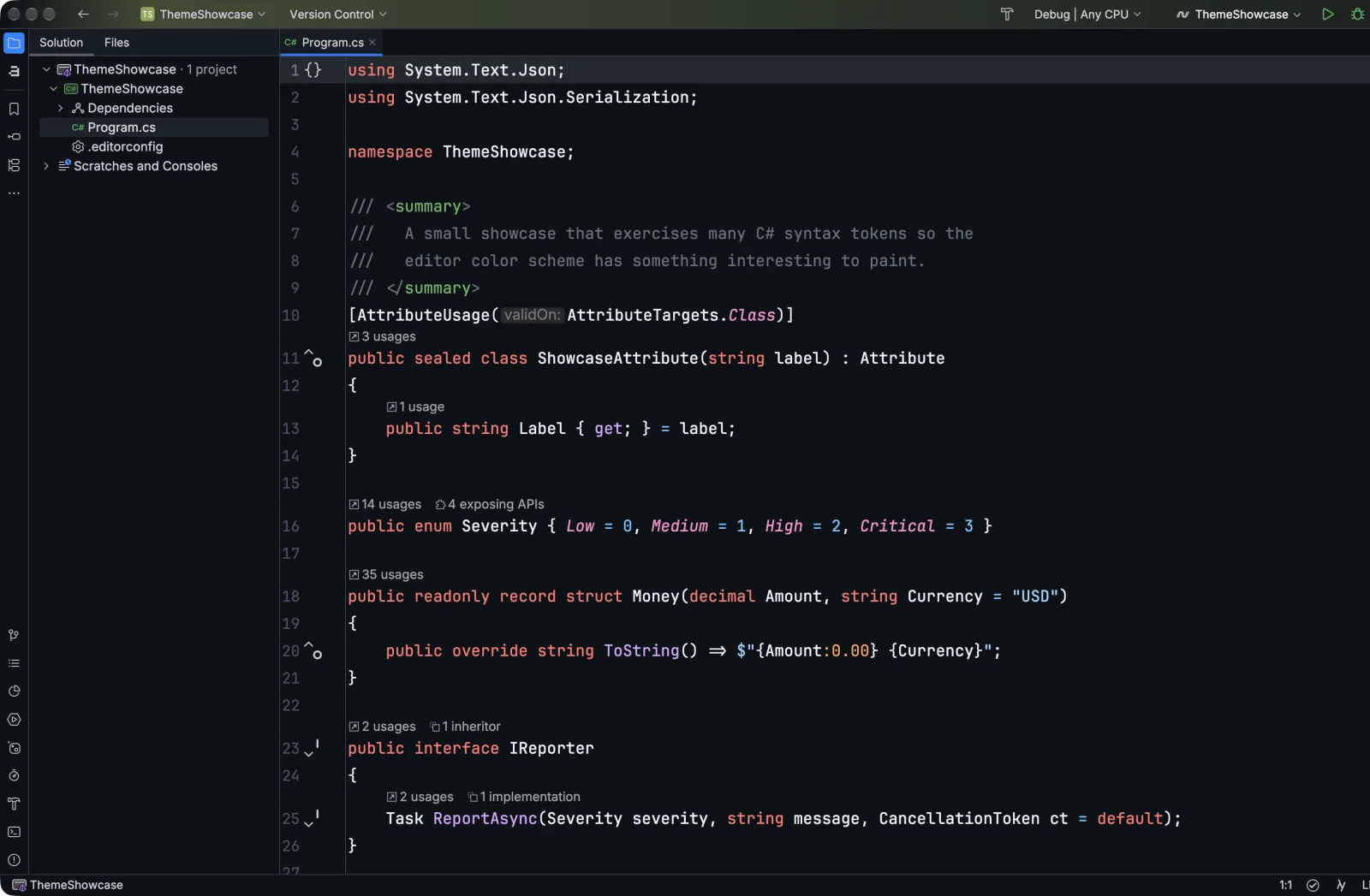
~374K downloads · ★ 4.9 · Free
If you spend half your day in GitHub and the other half in Rider, this one matches them up. It’s built on GitHub’s own Primer palette and recreates the dark, dark-dimmed, and light looks (plus rounded “Islands” variants), so your editor and your pull requests use the same colors.
If you’re a GitHub user, this theme is a must-have. It’s a perfect match for your GitHub experience and makes you feel at home in Rider.
Get GitHub Primer on the JetBrains Marketplace
Everest
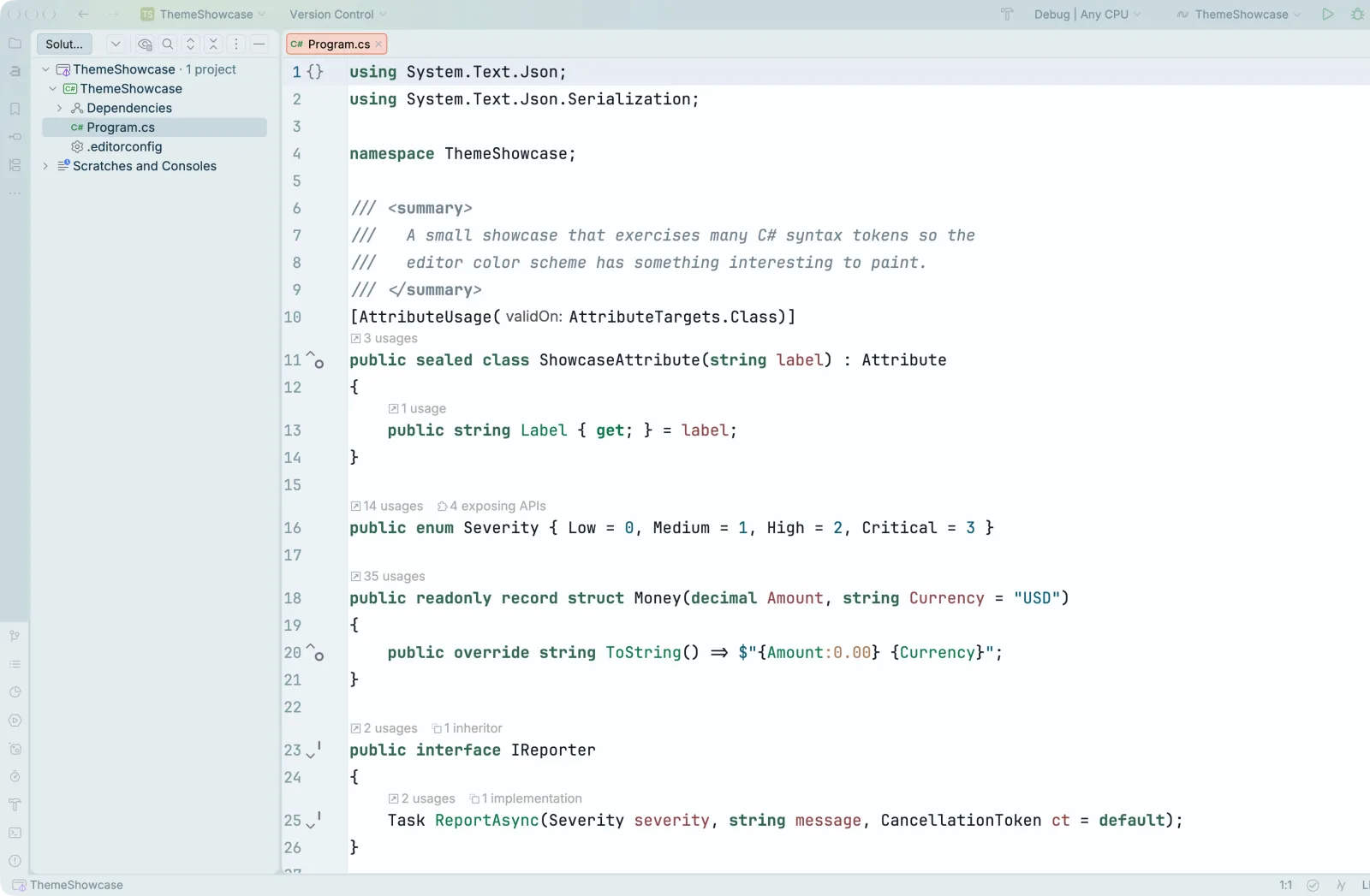
~133K downloads · ★ 4.8 · Free
A calming light theme with cool blues and grays that feels like coding at altitude. It’s one of a family of themes from Codigrate, so if this vibe lands, there’s more to explore.
I really like this one’s subtlety, and it’s a good pick if you prefer a more subdued palette. It reminds me of the days before syntax highlighting, when coding felt more tactile.
Get Everest on the JetBrains Marketplace
Sakura
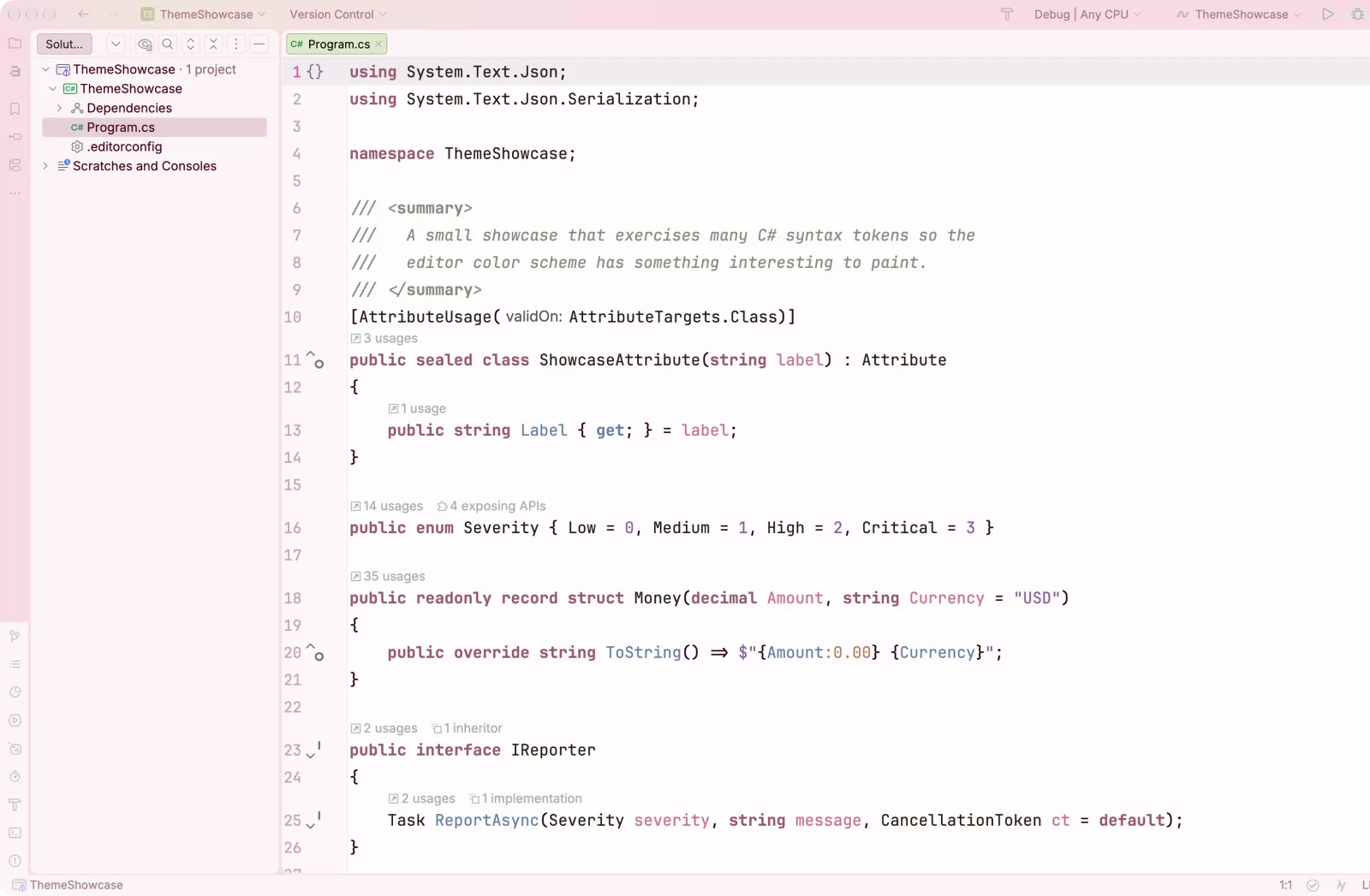
~107K downloads · ★ 4.78 · Free
Cherry-blossom pinks on a soft backdrop. Sakura shows that a pink theme can be elegant and easy to read instead of a gimmick, and it’s a nice change from the endless blue dark themes.
If you’re a fan of pastel colors and want something easy on the eyes, Sakura is a great pick. It makes me want to hop on the next plane to Tokyo and watch the cherry blossoms bloom.
Get Sakura on the JetBrains Marketplace
Night Modes & Hidden Gems
The themes that make Rider feel like yours.
Tokyo
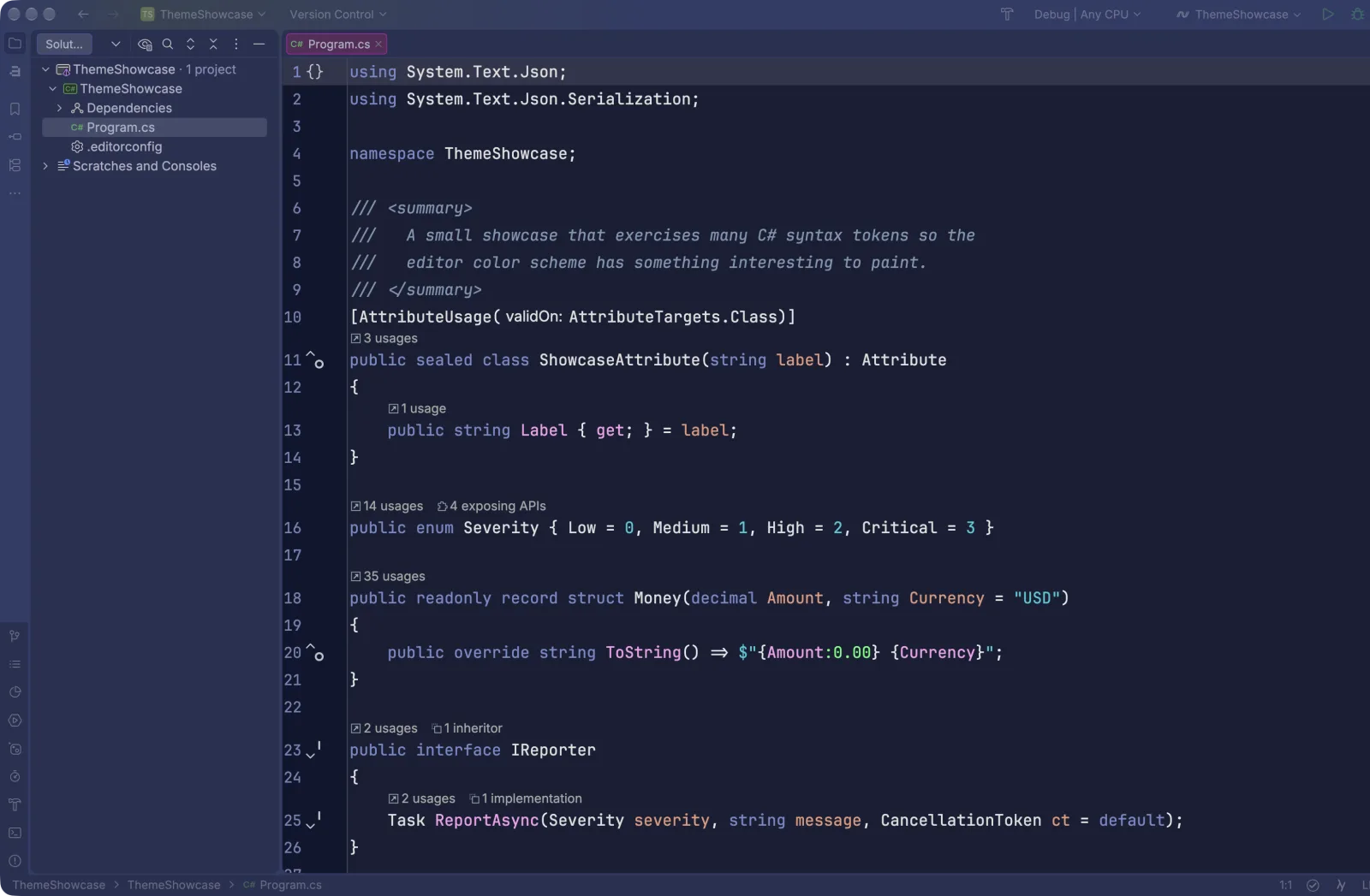
~16K downloads · ★ 4.53 · Free
The Tokyo Night look that took off in VS Code and Neovim, done right for Rider. Deep midnight blues and purples with soft neon accents give you a moody night palette that fills the niche old Nord fans are missing. It’s newer and deserves way more installs.
This is a fun theme that makes me feel like I’m driving my favorite JDM car. Takumi would be proud of the way I drive through the neon-lit streets of Tokyo at night.
Get Tokyo on the JetBrains Marketplace
Nightfall
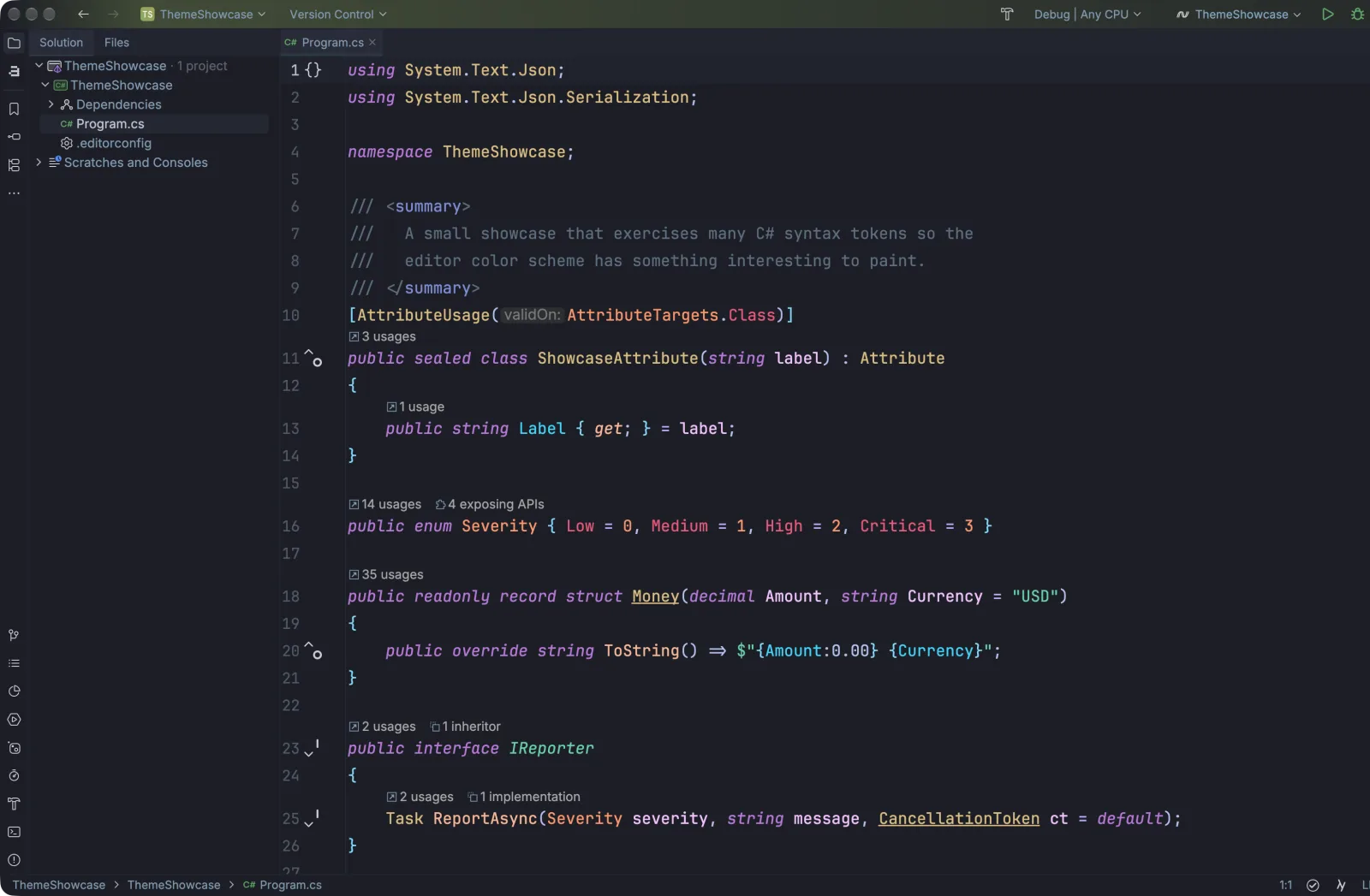
~525K downloads · ★ 4.91 · Free
One of the best-rated dark themes on the marketplace, and still under the radar. Nightfall is a rich, slightly cool dark palette with strong contrast and a nice “Islands” variant. Comfortable for long sessions without being dull.
If you live in the dark, this theme gives you a little pop in your fonts but keeps most of the IDE invisible with its dark colors. I enjoy this style when I’m listening to my favorite synthwave playlists.
Get Nightfall on the JetBrains Marketplace
Trash Panda
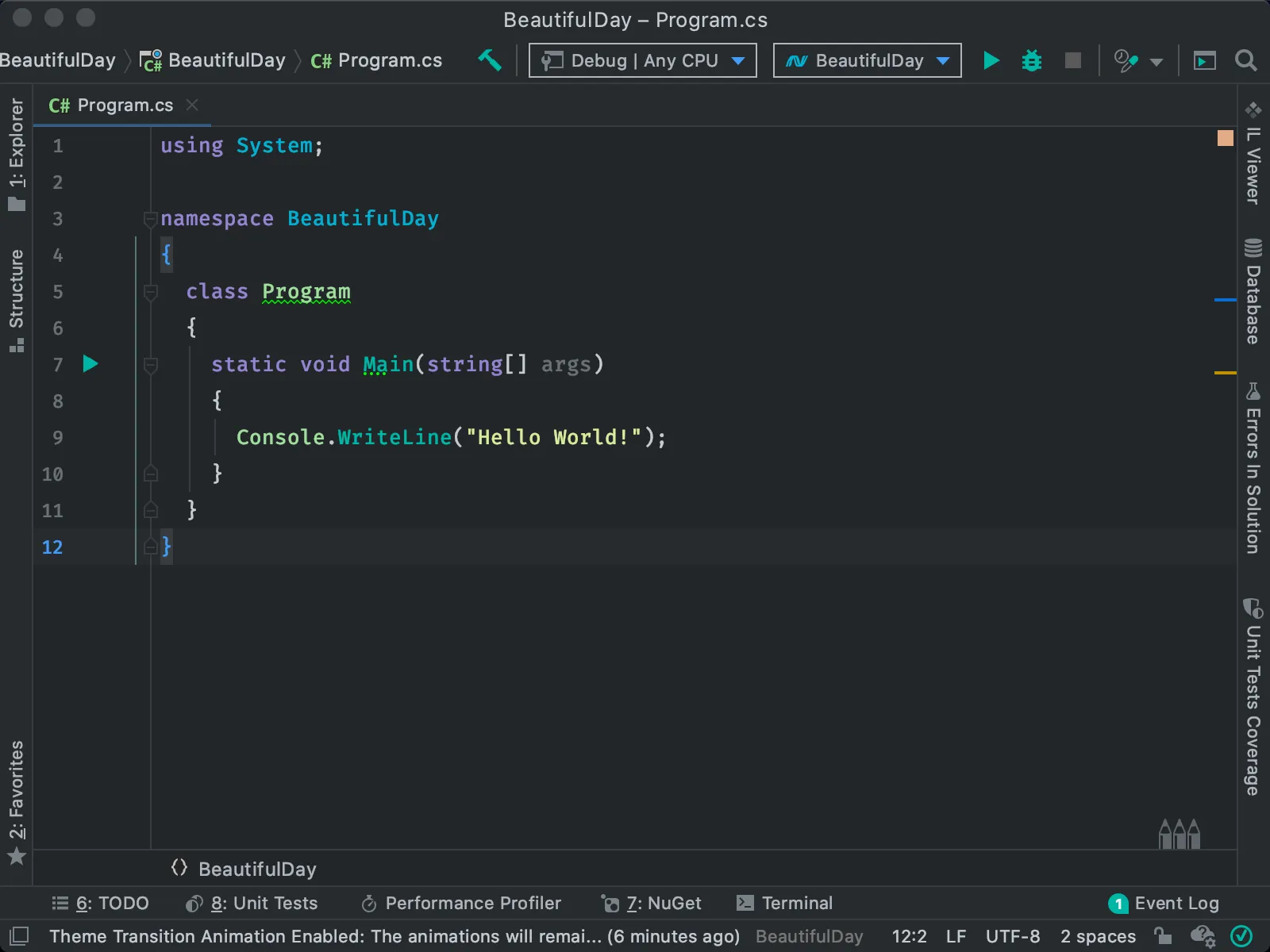
~500K downloads · ★ 4.85 · Free
A survivor from my original list, and it’s still fun to say Trash Panda. It’s cyberpunk-adjacent, with muted editor colors, blue-highlighted icons, and a dark chrome that means business. A cult classic that kept its charm and, unlike some, kept getting updates.
When you’re in full hacker mode, this is a great pick. It’s dark and moody, and it makes you feel one terminal command away from entering the matrix.
Get Trash Panda on the JetBrains Marketplace
Don’t Sleep on the Defaults
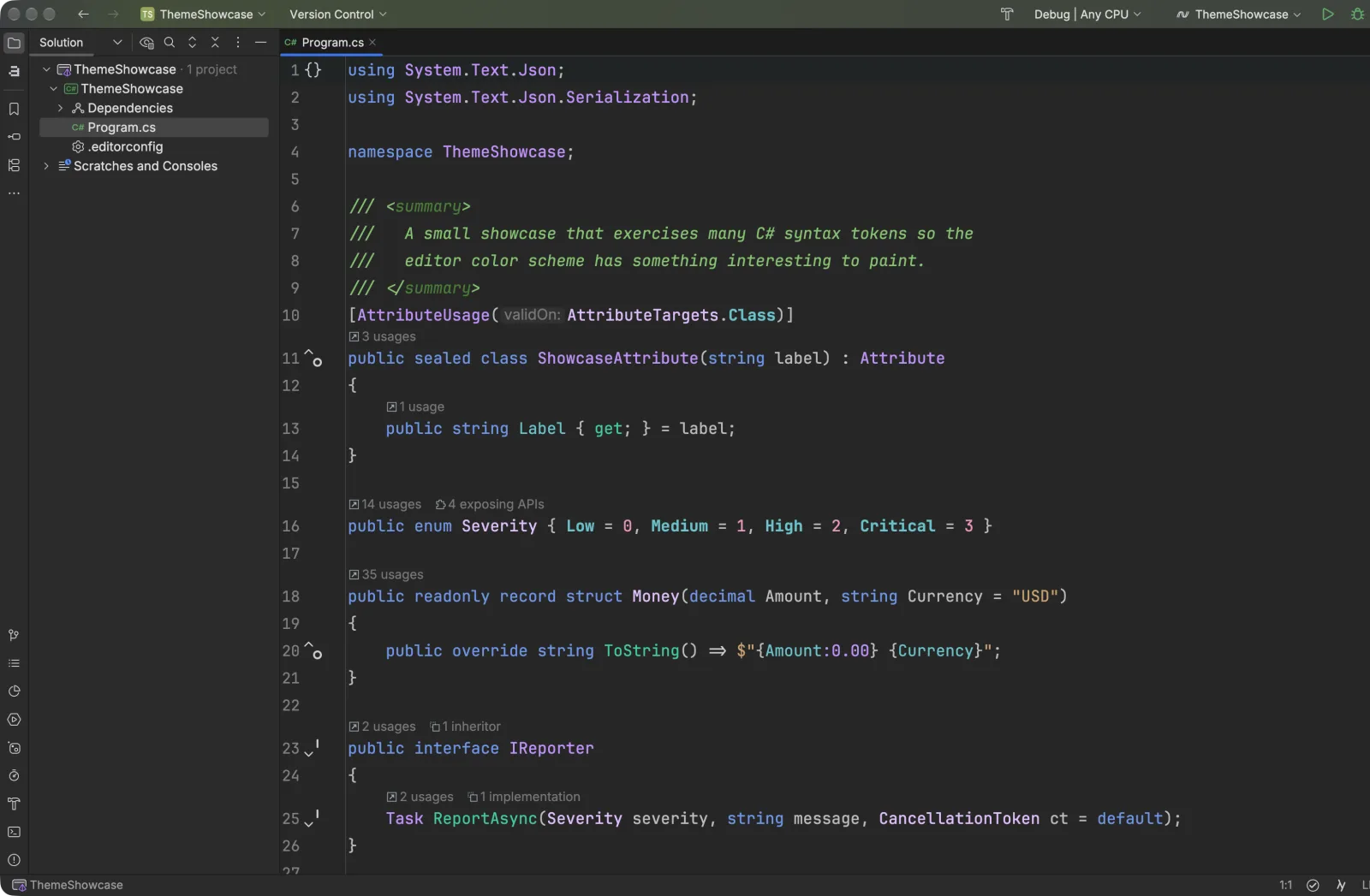
Rider UI Theme Pack · ~1.6M downloads · ★ 4.8 · Free (by JetBrains)
Before you install anything, remember Rider’s New UI ships with a genuinely good set of first-party themes. The official Rider UI Theme Pack adds even more JetBrains-made variants: Rider Night (shown here), Rider Melon, ReSharper, and Visual Studio looks in both light and dark. They use JetBrains Mono by default, and they stay current with the latest IDE design.
It really is a great set of themes, and I’m glad JetBrains keeps investing in them. I’ve been using Rider Night for a while now, and I love it. It’s especially nice knowing that whether I’m on the stable or EAP release, I’ll be greeted with a great theme when the IDE starts.
Get the Rider UI Theme Pack on the JetBrains Marketplace
Conclusion
Five years on, Rider’s theme ecosystem is in great shape. Whatever look you’re after, from pastel calm to a moody night palette to a pixel-perfect GitHub match, it’s a few clicks away in the marketplace.
Rider starts with a great theme, but the one that makes it yours is the one that fits your personality. It’s nice knowing there are so many to choose from.
So, what’s your favorite? Drop it in the comments and tell me which theme you’re running in 2026. Bonus points for a screenshot of your Rider setup. I’m always looking to add gems that didn’t make this list.
Around the web
Comments
Loading comments from GitHub Discussions…