
Programming The Blink(1) with C#
Control the ThingM blink(1) USB LED indicator light from C# and .NET using one of its available SDKs.
 Khalid Abuhakmeh
3 min read
Khalid Abuhakmeh
3 min read
Written in 2015. APIs and package versions may have moved on since, so check the code against the .NET version you're targeting.
I recently purchased the Thing M Blink(1). It is a USB powered micro-controller that powers two independent LED lights. Described by Thing M as the following:
blink(1) is the world’s best indicator light, designed to give you glanceable notice of anything on your computer or the internet.
I was stunned by the similarities to the project my team member and I developed called Sparkles. That is what intrigued me to purchase it. The other enticing factor was that it has a several C# SDKs, so I can integrate with any application I can think of. The point of this post is to walk you through a simple console application that interacts with the blink(1) device.
Getting Started
The first step is to plug in the blink(1) device into any open USB port on your machine.
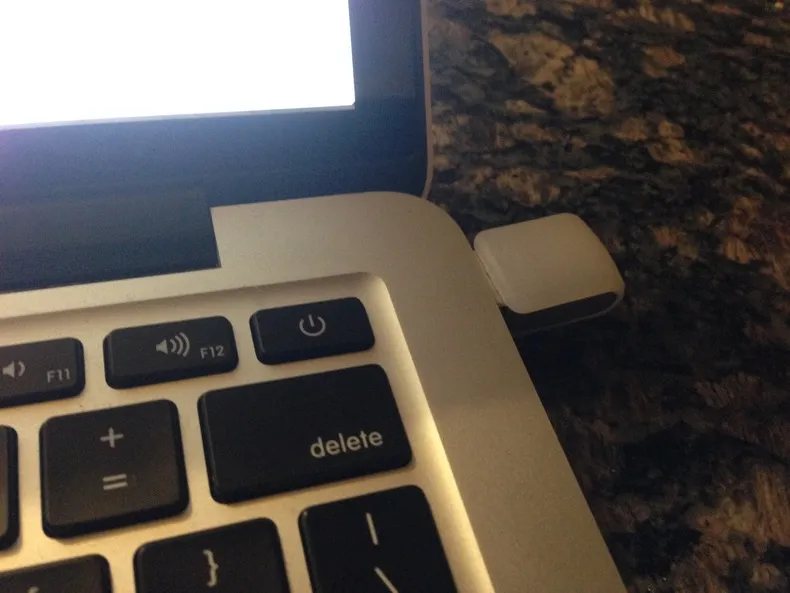
The next step is to start a Windows Console Application and add a reference to the Sleddog.Blink1 nuget package.
PM> Install-Package Sleddog.Blink1 -PreOnce started, you can find the blink(1) device with the following code.
var blink1 = Blink1Connector.Scan().First() as IBlink1Mk2;I have a Blink(1) MK2 which provides added functionality. If your device was registered correctly, you should now have a reference to your LED indicator.
The package I am utilizing is fully featured, but was missing a way to chain and transition from one state to the other, that is why I created the following extension method.
    public static class Blink1Extensions    {        public static IBlink1 Then(this IBlink1 blink1, Action<IBlink1, TimeSpan> action, TimeSpan? timeout = null, string description = null)        {            timeout = timeout.HasValue ? timeout.Value : TimeSpan.FromSeconds(1);
            if (description != null)                Console.WriteLine(description);
            action(blink1, timeout.Value);            Thread.Sleep(timeout.Value);
            return blink1;        }    }
This extension method allows me to fluently define an indicator workflow, like so.
blink1 .Then((b, t) => b.Set(Color.DarkRed)) .Then((b, t) => b.Fade(Color.DodgerBlue, t), TimeSpan.FromSeconds(3)) .Then((b,t) => b.Fade(Color.Yellow, t), TimeSpan.FromSeconds(10)) .Then((b, t) => b.TurnOff());Putting it all together, I get an application that looks like this.
static void Main(string[] args){    var blink1 = Blink1Connector.Scan().First() as IBlink1Mk2;
    blink1        .Then((b, t) => b.Set(Color.DarkRed), description: "Starting at DarkRed...")        .Then((b, t) => b.Fade(Color.DodgerBlue, t), TimeSpan.FromSeconds(3), "Fading to Dodger Blue...")        .Then((b,t) => b.Fade(Color.Yellow, t), TimeSpan.FromSeconds(10), "Fading to Yellow...")        .Then((b, t) => b.TurnOff(), description: "Turned Off.");
    Console.ReadLine();}
Running The Application
Here is a short video of the application running on my machine.
Conclusion
The initial spirit of the Sparkles project was to bring the virtual world into the physical world. It is amazing how many individuals across the world seem to have the same thoughts. The Blink(1) is definitely a cool toy, but a teammate and I have realized to get the best out of the device, we will have to roll up our sleeves and code a bit. That said, there are plenty of SDKs ready to use to get the most out of the device. Having C# and .NET just makes the device that much more fun.
Around the web
Comments
Loading comments from GitHub Discussions…